
Domyos Smart Turbo Trainers
Domyos smart turbo trainers make a compelling case for anyone who wants structured indoor training without spending Wahoo money. Plug into Zwift, TrainerRoad, or Kinomap and the trainer becomes a fully controllable resistance unit - automatically adjusting load to simulate virtual gradients or lock you into ERG mode for back-to-back interval blocks. That's not a given at this price point, and it matters.
Connectivity runs on both Bluetooth FTMS and ANT+ FE-C, so whether you're running a laptop with a dongle in a draughty garage or pairing wirelessly to a tablet, you're covered. Power accuracy sits within the ±2 - 3% bracket depending on model - tight enough for meaningful training, particularly if you spin down regularly. Step up to a direct drive unit and you also shed the tyre-wear noise that makes wheel-on trainers unpopular in terraced houses.
Domyos sits within the Decathlon stable alongside Van Rysel smart trainers, so the value engineering is deliberate and the parts support is straightforward. Browse the range below and we'll break down exactly what separates each model - and which one suits your setup.
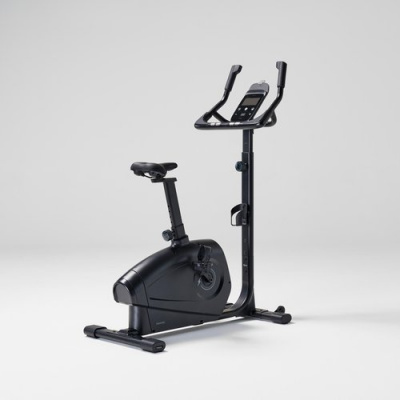
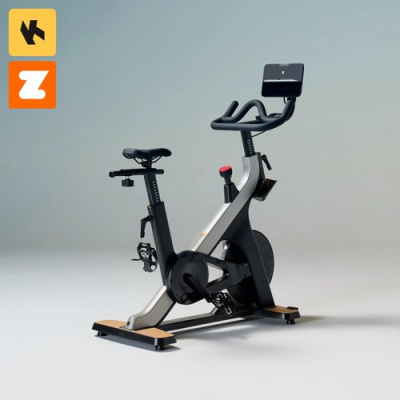
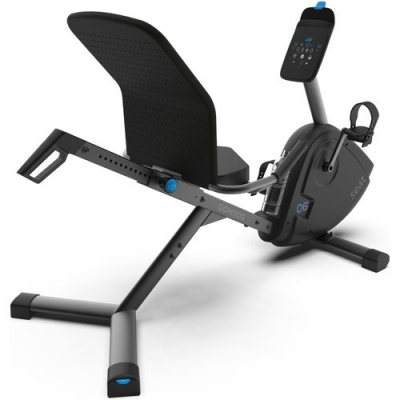
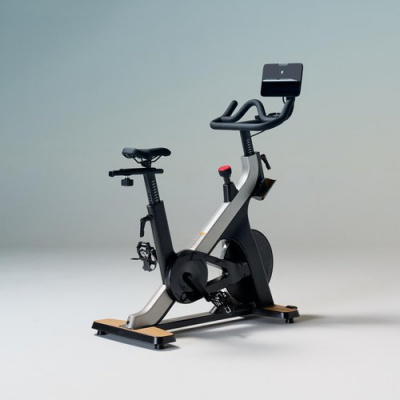
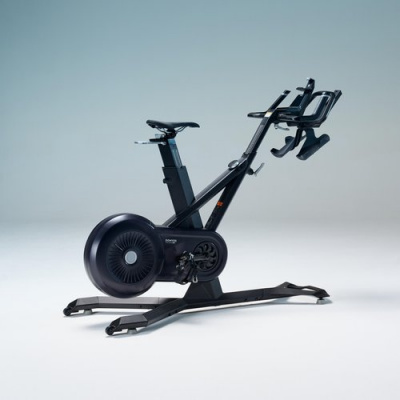
Prices and availability can change quickly. Delivery charges are not always included in listed prices.
Final price, stock status and delivery terms are set by retailer. We may receive a commission on purchases made.
Connectivity and App Integration
Both Bluetooth FTMS and ANT+ FE-C are built in across the Domyos smart trainer range. That dual-band setup is important - it's what allows the trainer to appear as a 'Controllable' device inside Zwift and TrainingPeaks, not just a passive power source. The distinction matters more than it sounds. A controllable trainer means the app drives the resistance; you just pedal. Gradient changes in Zwift steepen automatically, and structured workouts from TrainerRoad push and pull the load in real time.
ERG mode is where this gets interesting for anyone doing threshold or VO2 max work. Set a target wattage and the trainer holds it regardless of your cadence drift - useful when you're 40 minutes into a 20-minute effort and your legs are starting to negotiate. Domyos's electromagnetic resistance responds quickly enough to keep short, sharp interval blocks honest, though like any trainer at this tier, there's a brief ramp-up lag on very steep step changes. The fix is straightforward: keep cadence steady through the transition rather than soft-pedalling into each block.
If you're comparing connectivity breadth, Wahoo smart trainers and Tacx smart trainers offer similar dual-protocol setups at higher price brackets - Domyos gives you the same functional ecosystem for considerably less outlay.
Ride Feel and Noise in the Real World
Flywheel weight is the unsung factor in how a turbo trainer actually feels underfoot. A heavier flywheel carries more rotational momentum, which mimics the sensation of a bike rolling on tarmac - you feel the resistance build through a sprint rather than hitting it like a wall. Domyos direct drive models use electromagnetic resistance paired with a flywheel that generates enough inertia to make efforts feel progressive rather than mechanical. It's not quite the same sensation as a Kickr Core, but it's a long way from the dead, flat feeling of a basic magnetic trainer.
Noise is the practical question for a lot of UK riders. If you're in a mid-terrace or a first-floor flat, a wheel-on trainer at full gas sounds like a tumble dryer on a spin cycle - audible two rooms away and definitely through shared walls. Domyos direct drive models drop that significantly. The tyre-on-roller friction disappears entirely; what remains is drivetrain noise from your own bike's chain and cassette, which is genuinely manageable. A high-density mat under the trainer handles low-frequency vibration through the floor. If you're still running a Domyos wheel-on trainer and noise is becoming an issue with the neighbours, that's the clearest reason to step up to a direct drive unit.
Worth pairing with a decent set of Domyos cycling shorts for longer sessions - saddle comfort on a stationary bike is a different problem to outdoors riding, and it's one that good shorts solve quickly.
Getting Set Up and Keeping Power Accurate
Setup on Domyos smart trainers is straightforward. Direct drive models take your bike's rear wheel out entirely - the bike mounts directly to the trainer via the rear axle, which means a cassette is required separately if your trainer doesn't ship with one. Check freehub compatibility before you order. Wheel-on models are simpler: clamp the rear wheel, adjust roller tension against the tyre, and you're on.
Spin-down calibration is worth doing properly, and there's one thing a lot of riders skip that costs them accuracy. If your trainer lives in a cold garage - common in the UK between October and March - the internal components need time to reach operating temperature before calibration means anything. Give it a ten-minute easy pedal first. Do the spin-down cold and the power accuracy figures drift noticeably; do it warm and you're dialling the trainer in to actual conditions. Run a spin-down every few weeks, or any time your training space shifts temperature significantly. Most cycling apps - Zwift, TrainerRoad, Wahoo's own - include a calibration screen; use whichever one you're already in.
Sweat management is worth thinking about too. Unventilated indoor spaces generate a lot of humidity during hard sessions, and salt corrosion on frames and components is a real issue over a winter. A frame protector or even a towel over the top tube is basic but effective.
For everything you need to complete the setup - thru-axle adapters, trainer mats, and replacement belts - head to our Turbo Accessories and Turbo Spares categories, where we've got compatible options listed by trainer type. Trying to bolt all of that onto one page would mean compromising depth on both sides, so we've kept them separate and searchable.
Thinking longer term, Domyos e-bikes are worth a look if you're building fitness indoors with a view to getting back outside on something with a bit of assistance - the brand's value-first approach carries across categories.
Domyos Smart Turbo Trainers FAQs
How do I connect my Domyos smart trainer to Zwift?
Power the trainer on and make sure the Bluetooth or ANT+ signal is active. Open Zwift and go to the pairing screen - search for your Domyos trainer under both 'Power Source' and 'Controllable'. Selecting it under both entries is what makes the trainer respond to gradient changes and ERG mode, not just report watts.
Do I need to calibrate my Domyos smart trainer?
Yes, and it's worth doing it right. Pedal easy for ten minutes first - especially in a cold garage - so the trainer's internals reach working temperature. Then run a spin-down calibration through your app of choice. Do this every few weeks or whenever the ambient temperature in your training space changes noticeably.
Are Domyos smart trainers quiet enough for a flat?
Direct drive Domyos models are genuinely quiet - the main noise comes from your own bike's drivetrain rather than the trainer itself. For shared floors, a high-density mat underneath absorbs low-frequency vibration effectively. Wheel-on models are louder and less suited to flats with noise-sensitive neighbours.